Work From Home — or Bring Your Corporate Network Home
Work From Home (WFH)… Not a big problem for IT. Almost everything I need I can do without any discomfort. A good understanding of how to work remotely came during the first quarantine period; in Lithuania it was in summer. Good weather, my own house, lots of forests around… Who cares about COVID-19 — I just stayed with my family and spent my time as usual.
After the first global lockdown all systems were prepared for remote work and new hardware was added with some capacity for future use. But time went by and a new project started: designing the whole WiFi infrastructure for the school (yes, I work at a school — the biggest and most unique school in Lithuania). A lot of access points in 4 buildings with authorization via Google Education (Google Workspace) LDAP service. More than 1500 users… And only one “must be” requirement — comfortable usage for everyone: clients and admins.
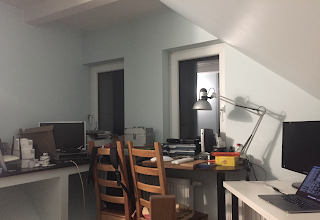
Project Setup
To meet all requirements I had to be connected to the school network. But configuring VPN on all devices was not a good idea, and exposing services outside was also not good… So the solution was to bring the network home.
Ok, I have some enterprise-level routers that I could use… but none of them supported OpenVPN. Why OpenVPN? Because this service is already present and I don't see any point in changing it. After a short research the candidates to solve this problem were: pfSense, OpenWrt and DD-WRT. For pfSense I would need some computer or a Raspberry Pi… I kept it as plan “B”.
From a friend I got a TP-Link with less than 2 MB flash — not enough space. After buying a D-Link DIR-300 (4 euro) — also not enough space. Then I found a D-Link DIR-620 A1 with 8 MB flash for 10 euro. This device fits all my needs (by the way, this post I am writing while connected via the DIR-620).
A short remark — why not DD-WRT? Because the first TP-Link I got already had OpenWRT installed. Then the plans became: pfSense (Plan C), DD-WRT (Plan B) and OpenWRT (Plan A).

OpenWRT & OpenVPN
The latest version of OpenWRT LuCI is 19. But not all kernel modules are present for installing OpenVPN. I found a few issues and one of the easiest solutions was to use version 18. I don’t need the latest version, just to solve the problem.
Everything was installed, and during configuration I found luci-app-openvpn very useless and uncomfortable… after a few looks I removed it.
BTW, many OpenWRT functions do not work as expected. For example: no delay when adding routes, additional name servers for DNS Forwarders do not work, WAN interface sometimes uses WAN6 config, no easy way to use VLANs with TUN/TAP… All can be solved!
Autostart OpenVPN
cat /etc/init.d/openvpn
...
for path in /etc/openvpn/*.conf; do
...
I renamed my .ovpn to .conf and put it into /etc/openvpn. Then enabled the service for autostart and started it. The current method passes the password from a file, but the easiest way is to create a password-less user with certificate authentication.
tun0      Link encap:UNSPEC  HWaddr 00-00-00-00-00-00-00-00-00-00-00-00-00-00-00-00
inet addr:10.8.0.6  P-t-P:10.8.0.6  Mask:255.255.255.0
inet6 addr: fe80::500c:371:ed18:e4a1/64 Scope:Link
UP POINTOPOINT RUNNING NOARP MULTICAST  MTU:1500  Metric:1
RX packets:20234 errors:0 dropped:0 overruns:0 frame:0
TX packets:20433 errors:0 dropped:0 overruns:0 carrier:0
collisions:0 txqueuelen:100
RX bytes:6912171 (6.5 MiB)  TX bytes:2338488 (2.2 MiB)
Routes
root@DIR-620-A1-OWRT:~# netstat -ran
Kernel IP routing table
Destination     Gateway         Genmask         Flags   MSS Window  irtt Iface
0.0.0.0         192.168.1.254   0.0.0.0         UG        0 0          0 eth0.2
10.8.0.0        0.0.0.0         255.255.255.0   U         0 0          0 tun0
192.168.0.0     0.0.0.0         255.255.255.0   U         0 0          0 br-lan
192.168.1.0     0.0.0.0         255.255.255.0   U         0 0          0 eth0.2
root@DIR-620-A1-OWRT:~# /sbin/route add -net 10.0.0.0 netmask 255.255.248.0 gw 10.8.0.1

root@DIR-620-A1-OWRT:~# ping 10.0.0.1
64 bytes from 10.0.0.1: seq=0 ttl=63 time=13.101 ms
64 bytes from 10.0.0.1: seq=1 ttl=63 time=9.091 ms
64 bytes from 10.0.0.1: seq=2 ttl=63 time=9.414 ms
^C

root@DIR-620-A1-OWRT:~# ping 10.0.5.5
64 bytes from 10.0.5.5: seq=0 ttl=63 time=12.005 ms
64 bytes from 10.0.5.5: seq=1 ttl=63 time=9.190 ms
64 bytes from 10.0.5.5: seq=2 ttl=63 time=16.837 ms
^C
All works fine. Add the route command to System > Startup > Local Startup (/etc/rc.local):
sleep 20; /sbin/route add -net 10.0.0.0 netmask 255.255.248.0 gw 10.8.0.1
IPTables
In Network > Firewall > General Settings > Zones we need to set Input, Output and Forward to accept traffic.
In Network > Firewall > Traffic Rules create:
Any traffic From any host in LAN To IP range 10.0.0.0/21 in VPN Accept forward
DNS
DNS can have some issues. The easiest way I found is to pass the school DNS server to my computer from DHCP:
Alans-MBP:~ alan$ cat /etc/resolv.conf | grep nameserver
nameserver 10.0.0.1
In Network > Interfaces > lan > DHCP Server > Advanced Settings:
DHCP-Options: 6,10.0.0.1
Alans-MBP:~ alan$ ping auth.cmm.lan
64 bytes from 10.0.5.7: icmp_seq=0 ttl=62 time=13.082 ms
64 bytes from 10.0.5.7: icmp_seq=1 ttl=62 time=13.541 ms
64 bytes from 10.0.5.7: icmp_seq=2 ttl=62 time=14.320 ms


Comments
Post a Comment